

Review
An assessment of an experience, usually stars plus a short text. It can also contain photos, audio or video, and it can be positive or critical.
How it works
Collect honest feedback, choose the right voices and show them in your own design. Here is how the three steps work in TrustBento.
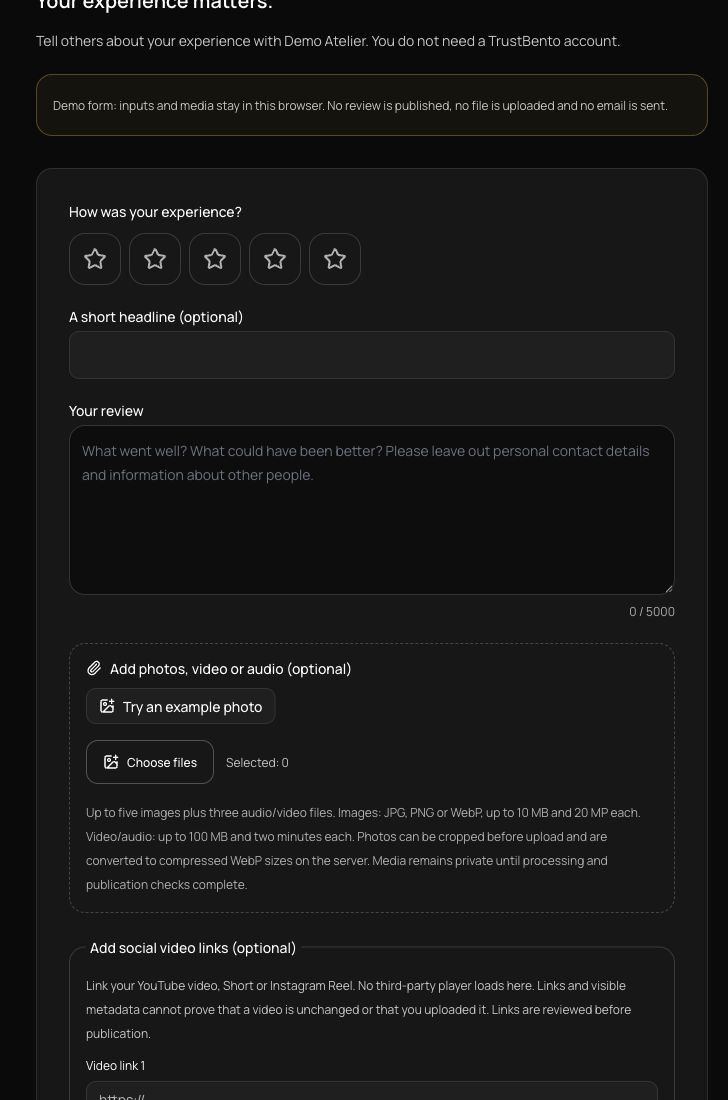
Try the live demoUse a review link, a QR code in your shop or an invitation after a verified order. Customers can submit without an account, on a phone or desktop.
Less friction for customers. One collection workflow for online shops, services and local businesses.
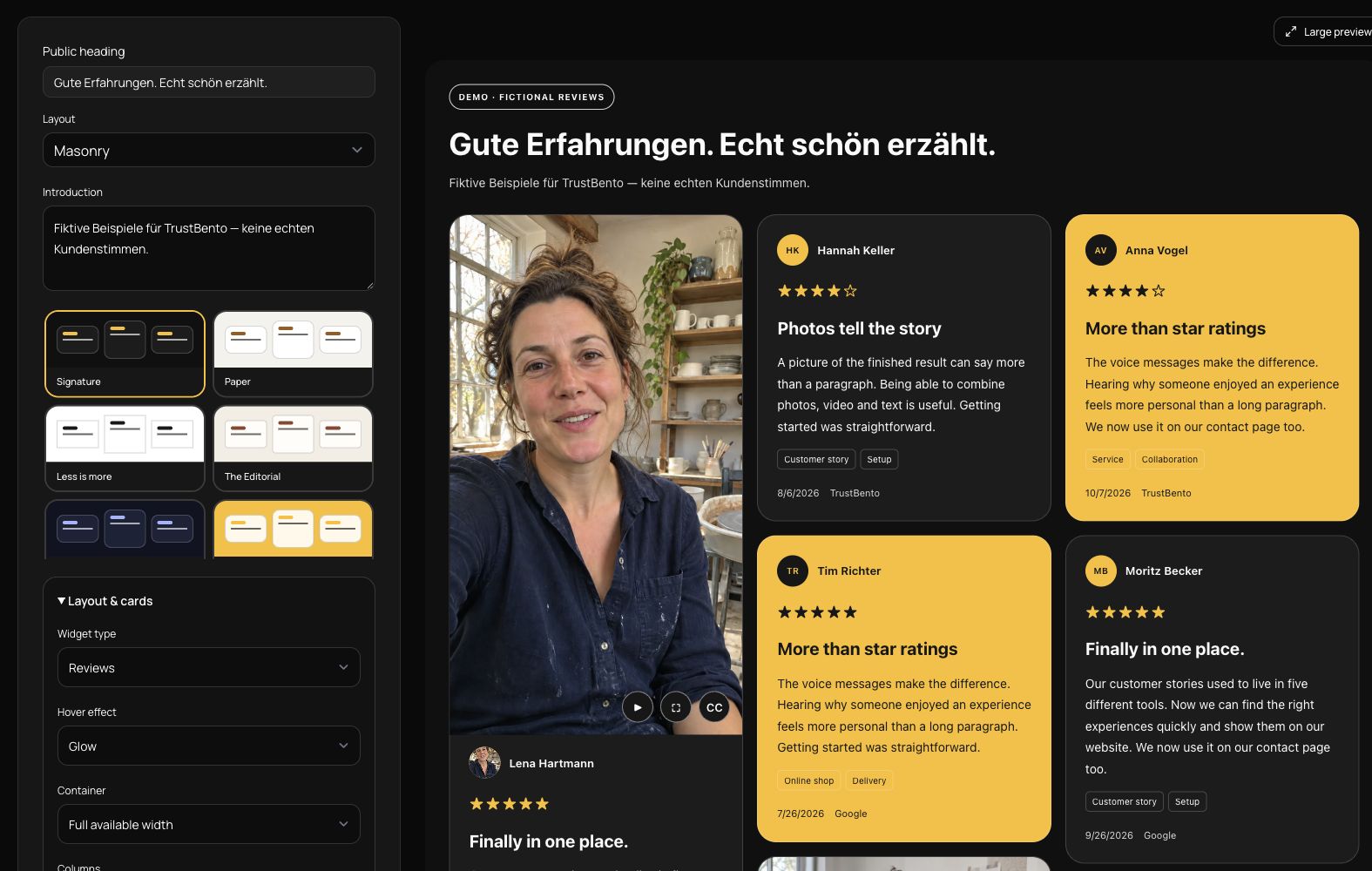
Combine your own published reviews with authorized external content. Choose a design, then refine typography, card widths, columns and colors in the live preview.
A coherent presentation without rebuilding your website. Keep the public company profile separate from your curated selection.
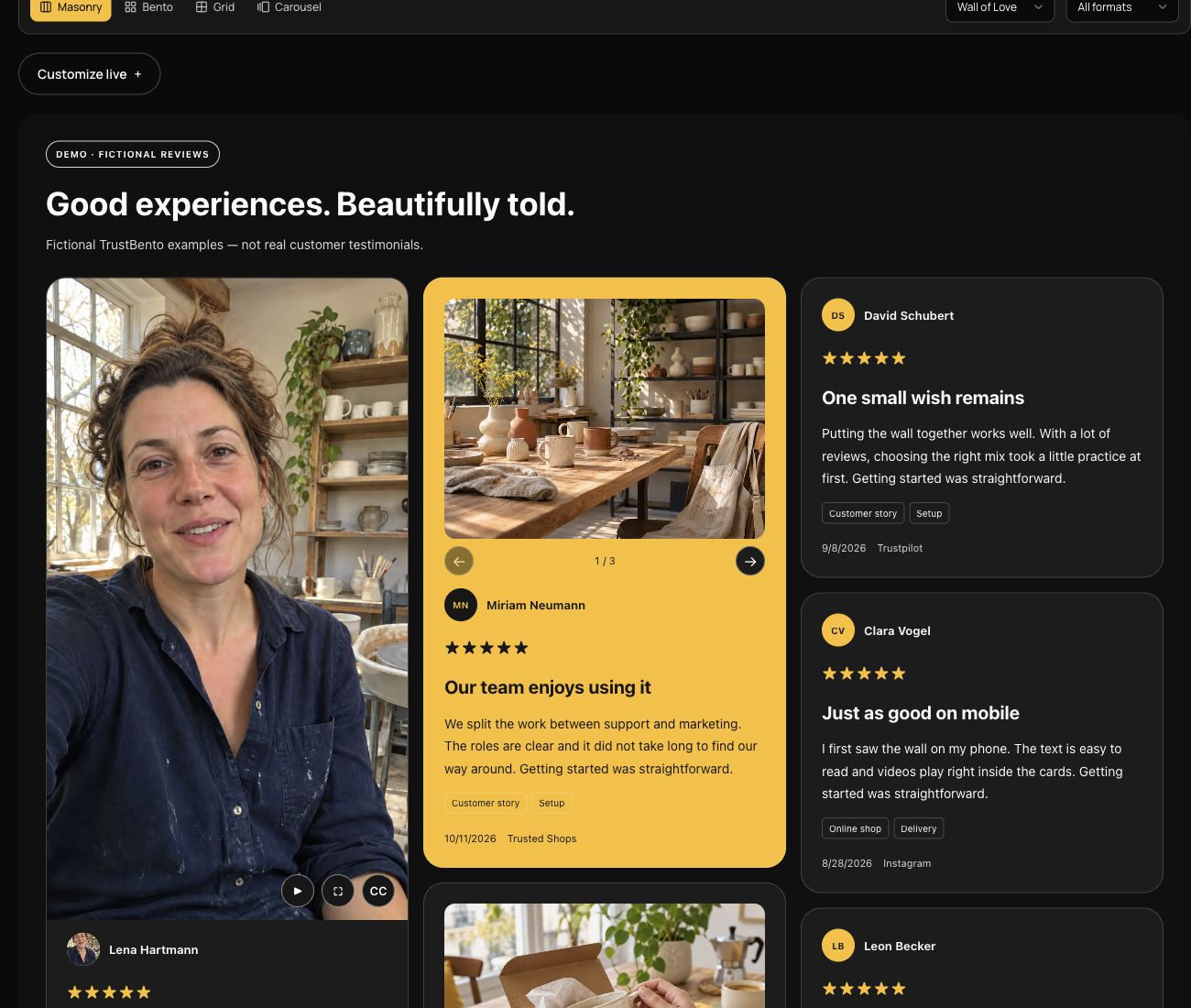
Place your wall on a landing page, product category or contact page. A compact rating widget also works beside important calls to action.
One maintained wall across multiple pages. Your public embeds update from the saved settings.
An assessment of an experience, usually stars plus a short text. It can also contain photos, audio or video, and it can be positive or critical.
A customer statement that you select as a reference for your marketing. It may come from a review, an interview or a customer video.
A more detailed experience: the starting point, how a customer used your offer and what changed. In TrustBento, topics help organize these stories.
The same contribution can be all three. The format does not change its rating or verification. A curated wall is always labeled as a selection; the public profile includes all eligible published native reviews.
TrustBento runs on German servers. Uploaded originals stay private; only approved, optimized media are served in your widgets.
Documented publication permissions, unsubscribe options, data exports and deletion workflows help you handle customer feedback responsibly.
Separate organizations, clear roles, two-factor authentication and passkeys protect access. Sources are connected through authorized channels.
All names, reviews and source assignments in this example are fictional. Media and synthetic voices are illustrative demo content, not actual customer testimonials or verified provider connections.